Pseudo-clases y pseudo-elementos
Lección 08 de 37 · 3 min
Una clase marca un elemento desde el HTML. Las pseudo-clases lo eligen por su estado o su posición, y los pseudo-elementos apuntan a una parte que no existe en el HTML.
Pseudo-clases: estado y posición
Una pseudo-clase (:hover, :checked…) empieza con : y filtra al elemento según algo que el HTML no dice. Las de estado cambian con lo que hace la persona:
- Puntero
:hover · :active:hovercon el puntero encima,:activemientras se presiona. - Foco
:focus · :focus-visible:focuscada vez que el elemento tiene el foco;:focus-visiblesolo cuando el navegador decide mostrarlo, como al usar el teclado. Para los anillos de foco, usá:focus-visible. - Formularios
:checked · :disabled · :user-invalid:checkedy:disableden formularios, y:user-invalidpara marcar un campo inválido recién después de que la persona lo tocó.
Las de estructura miran la posición entre hermanos. :first-child y :last-child eligen los extremos, y :nth-child(an+b) prueba n = 0, 1, 2…: 2n+1 elige 1, 3, 5 (igual que odd) y -n+3 elige los tres primeros. :not() excluye, :is() y :where() agrupan, y :has() elige al elemento por lo que contiene: el famoso selector de padre.
Prendé y apagá las reglas, tildá los ingredientes que ya tenés y pasá el puntero o el Tab por la lista. Las marcas naranjas nombran el selector que está actuando en cada fila, y el CSS de abajo es el que está aplicado.
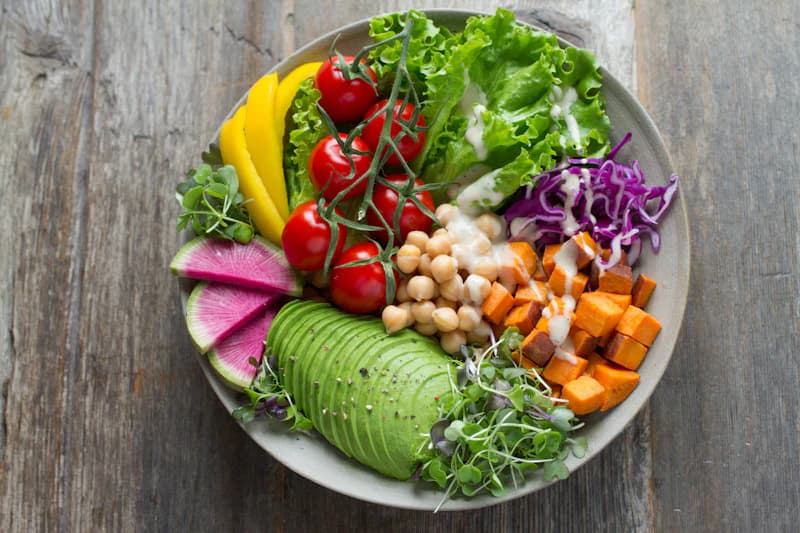
Bowl de garbanzos y palta
20 minutos · 2 porciones
Ingredientes
1 de 5 en la mesada.ingredientes li:nth-child(odd) {background-color: color-mix(in oklab, currentColor 6%, transparent);}.ingredientes li:hover,.ingredientes li:has(:focus-visible) {background-color: color-mix(in oklab, currentColor 12%, transparent);}.ingredientes label:has(input:checked) {text-decoration: line-through;opacity: 0.6;}.ingredientes {counter-reset: ingrediente;}.ingredientes li {counter-increment: ingrediente;}.ingredientes li::before {content: counter(ingrediente) ".";margin-inline-end: 0.5rem;}
<ul class="[counter-reset:ingrediente]"><li class="odd:bg-current/6 hover:bg-current/12 has-focus-visible:bg-current/12 [counter-increment:ingrediente] before:me-2 before:content-[counter(ingrediente)'.']"><label class="has-checked:line-through has-checked:opacity-60"><input type="checkbox" /> Palta madura</label></li><li class="odd:bg-current/6 hover:bg-current/12 has-focus-visible:bg-current/12 [counter-increment:ingrediente] before:me-2 before:content-[counter(ingrediente)'.']"><label class="has-checked:line-through has-checked:opacity-60"><input type="checkbox" checked /> Garbanzos cocidos</label></li><li class="odd:bg-current/6 hover:bg-current/12 has-focus-visible:bg-current/12 [counter-increment:ingrediente] before:me-2 before:content-[counter(ingrediente)'.']"><label class="has-checked:line-through has-checked:opacity-60"><input type="checkbox" /> Tomates cherry</label></li><li class="odd:bg-current/6 hover:bg-current/12 has-focus-visible:bg-current/12 [counter-increment:ingrediente] before:me-2 before:content-[counter(ingrediente)'.']"><label class="has-checked:line-through has-checked:opacity-60"><input type="checkbox" /> Repollo morado</label></li><li class="odd:bg-current/6 hover:bg-current/12 has-focus-visible:bg-current/12 [counter-increment:ingrediente] before:me-2 before:content-[counter(ingrediente)'.']"><label class="has-checked:line-through has-checked:opacity-60"><input type="checkbox" /> Batata asada</label></li></ul>
Pseudo-elementos
Un pseudo-elemento (::before, ::marker…) empieza con :: y estiliza una parte de la caja. ::before y ::after crean un hijo al principio y al final, pero solo si tienen content. No funcionan en elementos reemplazados como <img>.
Ese contenido no se puede seleccionar, pero los lectores de pantalla en general sí lo leen. No pongas ahí nada importante, y si es decorativo, dale un texto alternativo vacío. La primera línea es para navegadores que no entienden la barra:
.destacado::before {content: "★";content: "★" / "";}
- Viñeta
::markerLa viñeta o el número de un ítem de lista. Acepta pocas propiedades, comocolory las de fuente. - Campos y selección
::placeholder · ::selectionEl texto de ejemplo de un campo, y el texto que la persona seleccionó. - Primera línea y letra
::first-line · ::first-letterLa primera línea y la primera letra de un bloque.
En CSS2 los pseudo-elementos también usaban :, así que :before todavía funciona. Los nuevos, como ::marker, solo aceptan ::.
Cuánto pesan en la especificidad
Una pseudo-clase suma como una clase, y un pseudo-elemento como un tipo. Hay tres excepciones: :where() siempre vale 0, y :is(), :not() y :has() valen lo que su argumento más específico.
Por eso :where() sirve para estilos base fáciles de pisar, y por eso un solo id dentro de :is() sube el peso de toda la lista.
En Tailwind
En Tailwind las pseudo-clases y los pseudo-elementos son variantes: un prefijo con dos puntos delante de la clase. hover:bg-current/12 aplica el fondo solo con :hover, y before: ya agrega content vacío por vos.
| CSS | Tailwind |
|---|---|
| :hover · :focus-visible | hover: · focus-visible: |
| :disabled · :user-invalid | disabled: · user-invalid: |
| :first-child · :nth-child(odd) | first: · odd: |
| :nth-child(2n+1) | nth-[2n+1]: |
| :not(:first-child) · :has(:checked) | not-first: · has-checked: |
| ::before · ::marker | before: · marker: |
| ::placeholder · ::selection | placeholder: · selection: |
<ul class="list-inside list-disc marker:text-current/50"><li class="odd:bg-current/6 hover:bg-current/12"><label class="has-checked:line-through has-checked:opacity-60"><input type="checkbox" /> Regar las plantas</label></li></ul><input type="email" placeholder="Tu email" requiredclass="placeholder:text-neutral-500 user-invalid:border-red-500" />
Pseudo-classes and pseudo-elements
Lesson 08 of 37 · 3 min
A class marks an element from the HTML. Pseudo-classes pick it by its state or its position, and pseudo-elements point at a part that doesn't exist in the HTML.
Pseudo-classes: state and position
A pseudo-class (:hover, :checked…) starts with : and filters the element by something the HTML doesn't say. State pseudo-classes change with what the person does:
- Pointer
:hover · :active:hoverwith the pointer over it,:activewhile it's being pressed. - Focus
:focus · :focus-visible:focuswhenever the element has focus;:focus-visibleonly when the browser decides to show it, as when using the keyboard. For focus rings, use:focus-visible. - Forms
:checked · :disabled · :user-invalid:checkedand:disabledon forms, and:user-invalidto flag an invalid field only after the person has interacted with it.
Structural pseudo-classes look at the position among siblings. :first-child and :last-child pick the ends, and :nth-child(an+b) tries n = 0, 1, 2…: 2n+1 picks 1, 3, 5 (same as odd) and -n+3 picks the first three. :not() excludes, :is() and :where() group, and :has() picks the element by what it contains: the famous parent selector.
Turn the rules on and off, check the ingredients you already have, and hover or Tab through the list. The orange marks name the selector acting on each row, and the CSS below is the one being applied.
Chickpea and avocado bowl
20 minutes · serves 2
Ingredients
1 of 5 on the counter.ingredients li:nth-child(odd) {background-color: color-mix(in oklab, currentColor 6%, transparent);}.ingredients li:hover,.ingredients li:has(:focus-visible) {background-color: color-mix(in oklab, currentColor 12%, transparent);}.ingredients label:has(input:checked) {text-decoration: line-through;opacity: 0.6;}.ingredients {counter-reset: ingredient;}.ingredients li {counter-increment: ingredient;}.ingredients li::before {content: counter(ingredient) ".";margin-inline-end: 0.5rem;}
<ul class="[counter-reset:ingredient]"><li class="odd:bg-current/6 hover:bg-current/12 has-focus-visible:bg-current/12 [counter-increment:ingredient] before:me-2 before:content-[counter(ingredient)'.']"><label class="has-checked:line-through has-checked:opacity-60"><input type="checkbox" /> Ripe avocado</label></li><li class="odd:bg-current/6 hover:bg-current/12 has-focus-visible:bg-current/12 [counter-increment:ingredient] before:me-2 before:content-[counter(ingredient)'.']"><label class="has-checked:line-through has-checked:opacity-60"><input type="checkbox" checked /> Cooked chickpeas</label></li><li class="odd:bg-current/6 hover:bg-current/12 has-focus-visible:bg-current/12 [counter-increment:ingredient] before:me-2 before:content-[counter(ingredient)'.']"><label class="has-checked:line-through has-checked:opacity-60"><input type="checkbox" /> Cherry tomatoes</label></li><li class="odd:bg-current/6 hover:bg-current/12 has-focus-visible:bg-current/12 [counter-increment:ingredient] before:me-2 before:content-[counter(ingredient)'.']"><label class="has-checked:line-through has-checked:opacity-60"><input type="checkbox" /> Red cabbage</label></li><li class="odd:bg-current/6 hover:bg-current/12 has-focus-visible:bg-current/12 [counter-increment:ingredient] before:me-2 before:content-[counter(ingredient)'.']"><label class="has-checked:line-through has-checked:opacity-60"><input type="checkbox" /> Roasted sweet potato</label></li></ul>
Pseudo-elements
A pseudo-element (::before, ::marker…) starts with :: and styles a part of the box. ::before and ::after create a child at the start and at the end, but only if they have content. They don't work on replaced elements like <img>.
That content can't be selected, but screen readers generally do read it. Don't put anything important there, and if it's decorative, give it empty alternative text. The first line is for browsers that don't understand the slash:
.featured::before {content: "★";content: "★" / "";}
- Bullet
::markerThe bullet or number of a list item. It takes few properties, such ascolorand the font ones. - Fields and selection
::placeholder · ::selectionA field's sample text, and the text the person selected. - First line and letter
::first-line · ::first-letterThe first line and the first letter of a block.
In CSS2, pseudo-elements also used :, so :before still works. The newer ones, like ::marker, only accept ::.
How much they weigh in specificity
A pseudo-class counts as a class, and a pseudo-element as a type. There are three exceptions: :where() is always 0, and :is(), :not() and :has() are worth their most specific argument.
That's why :where() is good for base styles that are easy to override, and why a single id inside :is() raises the weight of the whole list.
In Tailwind
In Tailwind, pseudo-classes and pseudo-elements are variants: a prefix with a colon in front of the class. hover:bg-current/12 applies the background only on :hover, and before: already adds an empty content for you.
| CSS | Tailwind |
|---|---|
| :hover · :focus-visible | hover: · focus-visible: |
| :disabled · :user-invalid | disabled: · user-invalid: |
| :first-child · :nth-child(odd) | first: · odd: |
| :nth-child(2n+1) | nth-[2n+1]: |
| :not(:first-child) · :has(:checked) | not-first: · has-checked: |
| ::before · ::marker | before: · marker: |
| ::placeholder · ::selection | placeholder: · selection: |
<ul class="list-inside list-disc marker:text-current/50"><li class="odd:bg-current/6 hover:bg-current/12"><label class="has-checked:line-through has-checked:opacity-60"><input type="checkbox" /> Water the plants</label></li></ul><input type="email" placeholder="Your email" requiredclass="placeholder:text-neutral-500 user-invalid:border-red-500" />